

Otterlock
The app blocker that's kind about it.
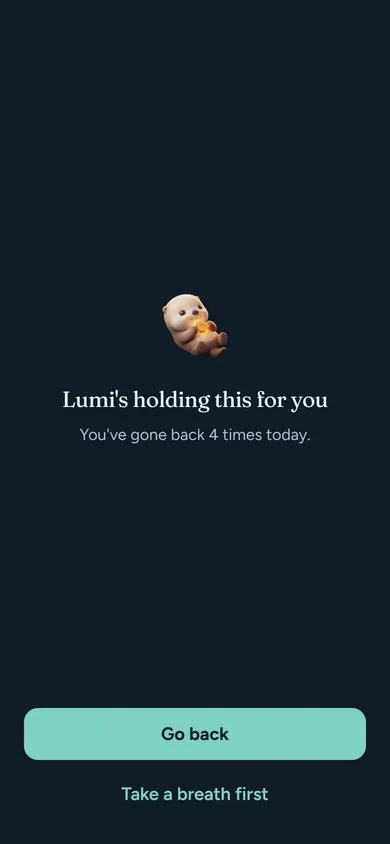
Pick the apps you open without thinking. Lumi guards them on your schedule or after a daily limit. Open one and she holds it for you while you take one slow breath.
- No account
- No ads
- No tracking
- Your rules stay on your phone
How the shield works
1. Pick your apps
Choose the ones you open without thinking. On iPhone, Apple's own picker keeps your choices private, even from us.
2. Choose when
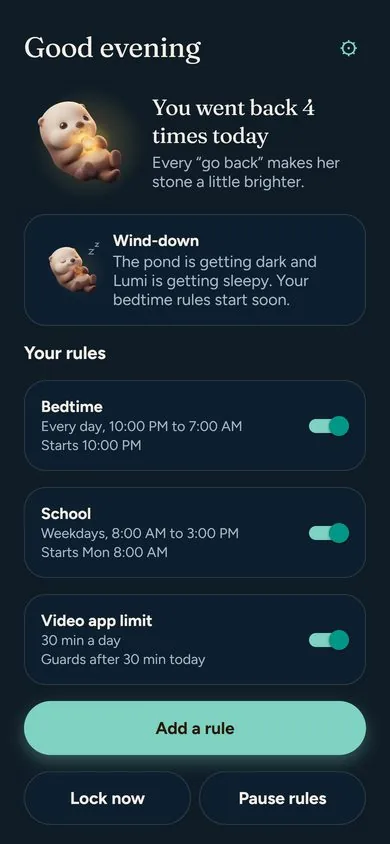
Bedtime, school, work, your own times, or a daily limit like 30 minutes of videos.
3. Lumi holds them
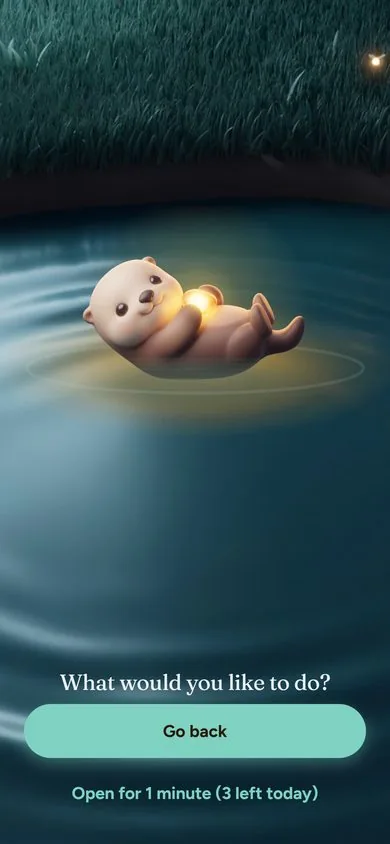
Open a guarded app and Lumi's shield appears. Go back, or take one breath with her and choose. A few one-minute passes a day.
Going back feels like a small win
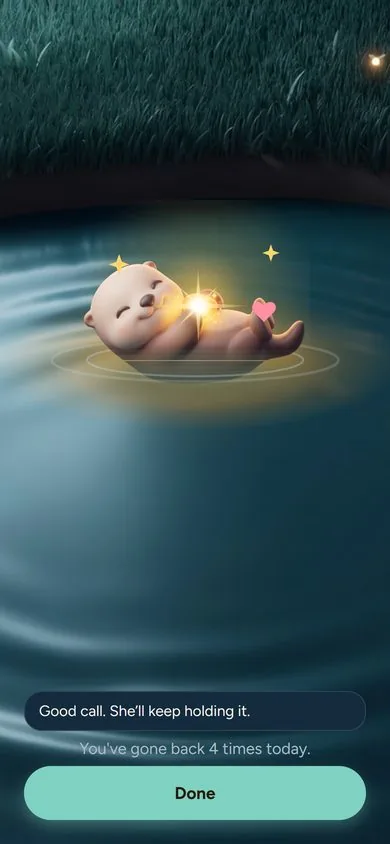
Every time you go back, Lumi cheers and her stone glows a little brighter. Your morning card shows how many times you chose your evening over the scroll.
Everything you need, nothing you don't
Schedules and limits
Overnight schedules, daily limits, open limits and "lock now" from 15 minutes to 8 hours.
Everything except
Guard every app except the few you need, like messages and maps.
Calm mode
Prefer just the tool? Calm mode turns Lumi down to the shield and your numbers.
An honest word about Strict
Strict means you can't stop a lock early, pause it or use passes in Otterlock, except with one emergency exit a week, after a 1-minute breath. Your phone can still turn off Otterlock's access in Settings or delete the app, and changing the phone's clock can end a lock early. No app blocker can truly prevent that, and we won't pretend otherwise. When you stop a rule, every app it guarded opens right away.
Questions
Is this parental control?
No. Otterlock is for limiting your own phone. There's no parent account and no way to manage someone else's phone, and the person using it can turn it off in their phone's Settings. To manage a child's phone, use the family settings built into iPhone or Android.
Does anything leave my phone?
Your rules, counts and chosen apps never leave your phone. There's no account and no server, and on iPhone Apple never tells us which apps you pick. If you buy Pro, RevenueCat checks that it's active using an anonymous ID, nothing else.
Why does iPhone send a notification when I tap "Take a breath first"?
Apple doesn't let a shield open another app, so Lumi sends a note; tap it and the breath screen opens.
How does it work on Android?
Otterlock uses Android's Accessibility service to see which app is open, so it can show the shield over the apps you chose. It only sees the app's name, never what's on your screen.
What does it cost?
The free version guards one schedule with up to 3 apps, with Lumi's shield, the breath and 3 passes a day. Pro unlocks everything else. Prices are shown in the app before you buy.
My apps are still blocked after deleting Otterlock.
Your phone removes our shields when the app is deleted. If one ever stays, install Otterlock again, open it once (it clears every shield), then delete it. Write to us and we'll help.
Tell me when Otterlock is out
One email when Otterlock is in the App Store and Google Play. Nothing else.
Free printables to go with it
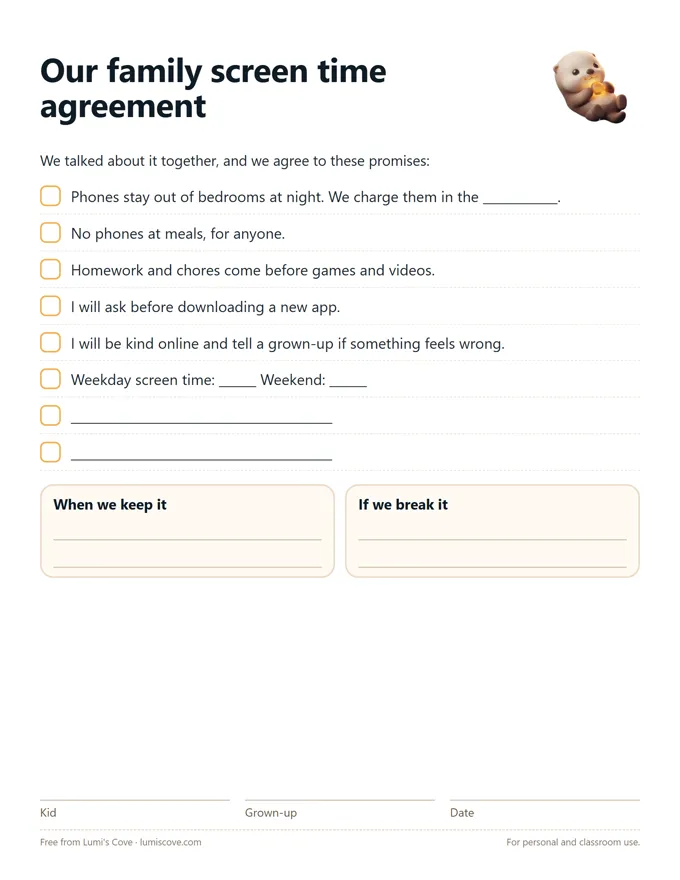 Phone and screen time
Screen time contract (family phone agreement)
A free printable family screen time contract for kids and teens.
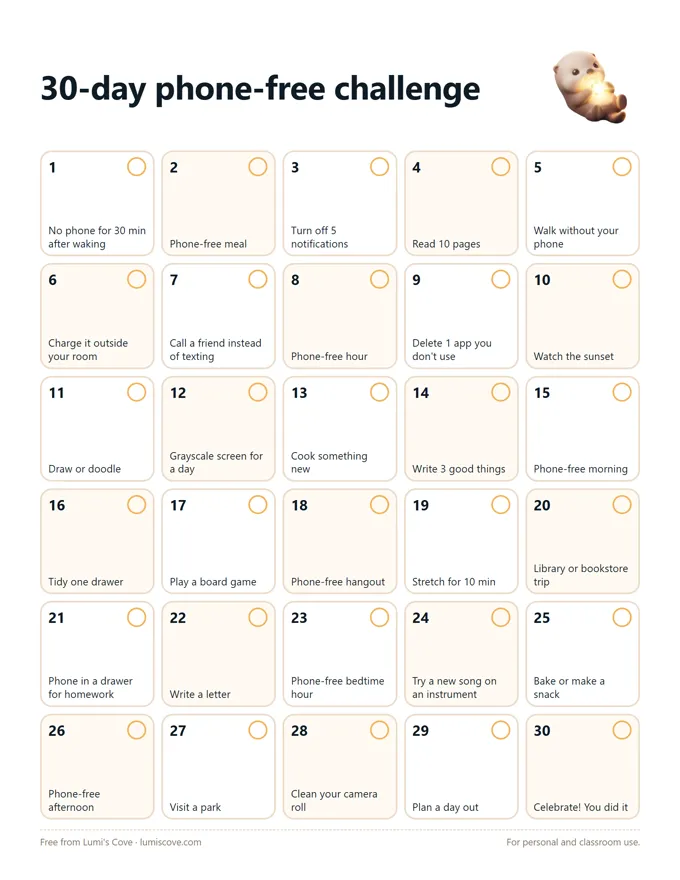 Phone and screen time
30-day phone-free challenge
Take back an hour a day with this 30-day phone-free challenge: one small daily goal and a printable tracker, with Lumi the sea otter..
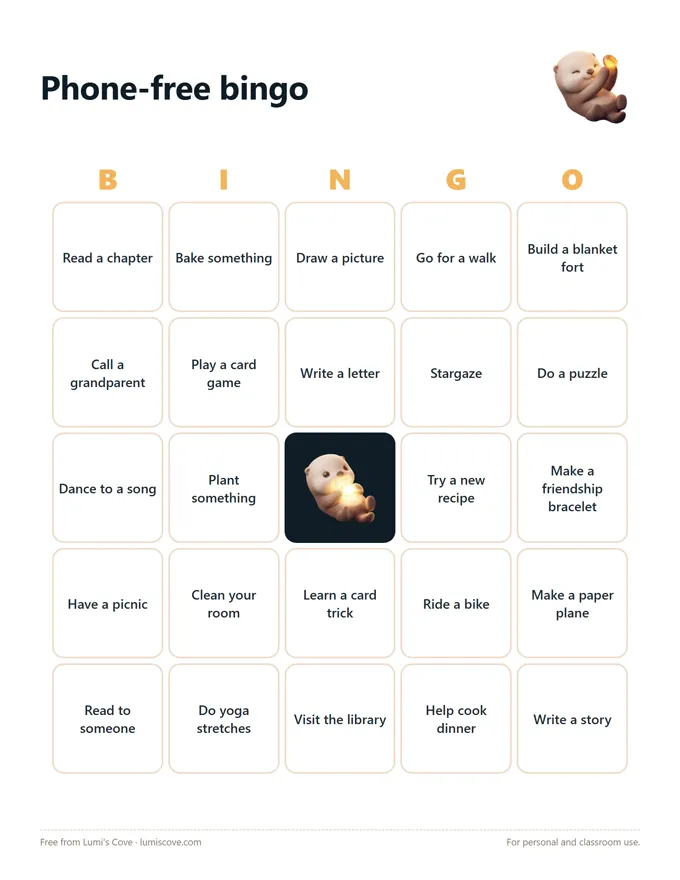 Phone and screen time
Phone-free activities bingo
Bored without your phone? Play phone-free bingo: 24 fun things to do offline.
Otterlock is from Gold Standard Web. Lumi is the sea otter from Lumi Focus.