

Tidy with Lumi
Your camera roll, tidy in minutes.
Lumi the sea otter sorts your photos into piles: duplicates, near-copies, blurry shots, old screenshots and big videos. You swipe to keep or tidy. Nothing leaves your phone, and nothing is deleted without asking.
- No ads
- No tracking
- No account

How it works
1. Lumi looks
She checks your photos on your phone and puts each kind on her pebble shelf. The bigger the pebble, the more space it holds.
2. You pick
Swipe left to tidy, right to keep, up to favorite. Undo any time. In every group of near-copies, Lumi keeps the best shot and tells you why.
3. Done
Your phone asks you to confirm, and everything goes to Recently Deleted for 30 days. Lumi shows the real space, the same way Settings counts it.
Nothing leaves your phone
Lumi looks at your photos right on your phone. Nothing is uploaded, and your photos are never collected. "Limited Access" works fully: Lumi tidies only the photos you choose. Favorites and this week's photos are never picked for you (on iPhone, edited, hidden and shared-album photos too).

Questions
How does deleting work?
Nothing is deleted until you tap Done. Then your phone shows its own confirmation, and what you picked goes to Recently Deleted (iPhone) or the trash (Android). You can get anything back for 30 days.
When do I get the space back?
When Recently Deleted is emptied: right away in Photos (Albums, Recently Deleted, Delete All), or by itself after 30 days. Photos that were only in iCloud free iCloud space, not phone space, and Lumi says so.
What is "Limited Access"?
Your phone lets you share only some photos with an app. Tidy with Lumi works fully with just those, and you can add more any time in Settings.
What does Pro add?
Clearing a whole pile in one tap (keeping the best of each), shrinking big videos, turning Live Photos into stills, merging duplicate contacts with a backup first, and your month-by-month history. The full scan, every pile and swipe review work without Pro. There is no weekly plan.
How do I cancel a subscription?
iPhone: Settings, your name, Subscriptions, Tidy with Lumi, Cancel. Android: Google Play, Payments & subscriptions, Subscriptions. Deleting the app does not cancel a subscription. Cancel at least 24 hours before it renews.
Tell me when Tidy with Lumi is out
One email when Tidy with Lumi is in the App Store and Google Play. Nothing else.
Free printables to go with it
 Phone and screen time
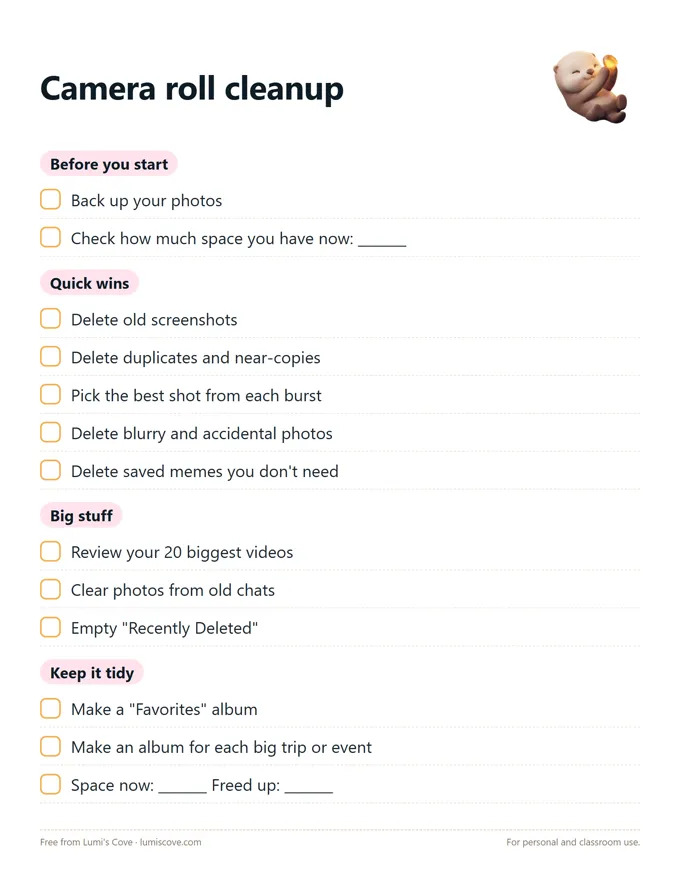
How to clean up your camera roll
A step-by-step checklist to clean up your camera roll: screenshots, duplicates, blurry shots and old videos.
 Phone and screen time
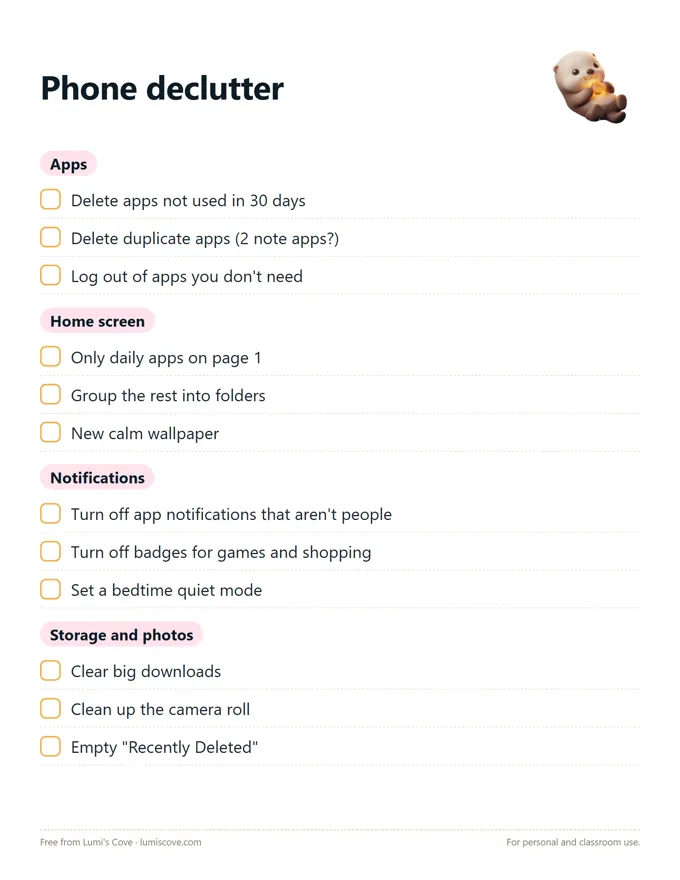
Phone declutter checklist
Give your phone a fresh start: delete unused apps, tidy your home screen, quiet notifications and free up storage.
Tidy with Lumi is from Gold Standard Web. Lumi is the sea otter from Lumi Focus.